Know the difference
Is magic eraser safe to use on every surface?
A melamine foam magic eraser is mildly abrasive: it can lift marks, but it can also dull a finish. A digital photo eraser has different risks, including unwanted changes to the image.

3 misconceptions worth clearing up
The name covers two very different tasks. These related guides help separate a cleaning sponge from an image-editing tool.
- what is a magic eraser Distinguish the physical cleaning sponge from tools that remove details in a photo.
- how to use a magic eraser sponge Follow a cautious cleaning routine that begins with a small surface test.
- melamine foam vs magic eraser See how the material relates to the familiar cleaning-product name.
What it actually is
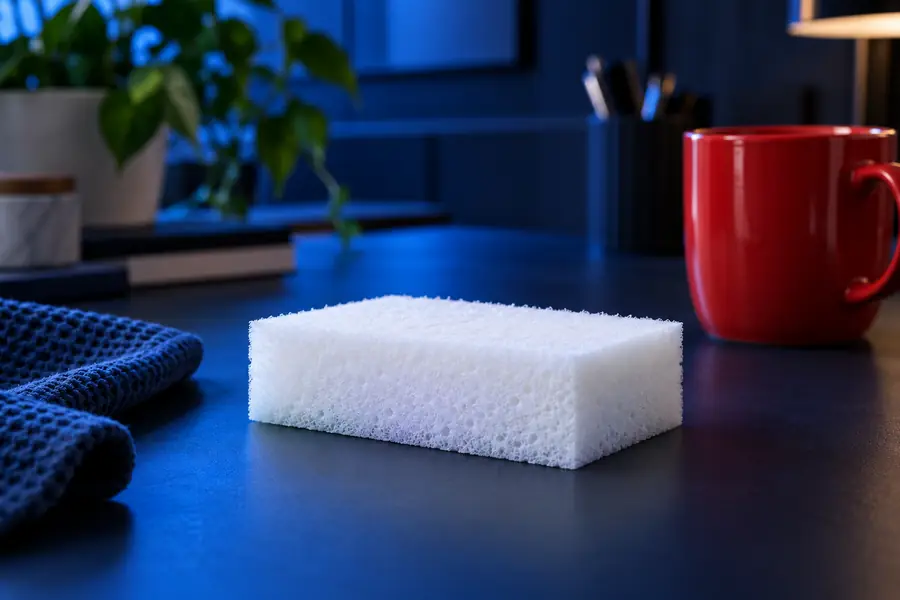
A cleaning magic eraser is melamine foam, not a chemical solvent. Its fine structure acts like a gentle abrasive, which explains both its cleaning ability and its limits.
-
1
Identify the material
Confirm whether you mean a melamine foam sponge or a digital erasing tool. Advice about wetting and rubbing applies only to the sponge.
-
2
Test the finish
Dampen the sponge, then try it lightly on a small, inconspicuous area. Let the spot dry before deciding whether the finish has changed.
-
3
Use minimal pressure
If the test looks sound, rub gently and check often. Stop if color transfers, gloss fades, or the surface feels rough.
Boundary conditions
Digital erasing changes pixels rather than a physical finish. It avoids abrasion, but a plausible-looking replacement can still distort important details.

Compare the edited area with the original, especially around edges, reflections, text, and shadows. Keep an untouched copy when accuracy matters.
Original photoEdited photoWhen NOT to use it
For a physical magic eraser, the deciding factor is the surface finish. For a digital eraser, it is whether the altered image remains accurate and appropriate to share.
| Melamine foam sponge | Digital photo eraser | |
|---|---|---|
| How it works | Abrades a small amount of material as it rubs | Replaces or removes selected image pixels |
| First precaution | Test a damp sponge in a hidden spot | Save the unedited original |
| Glossy paint or clear coat | Avoid unless the finish maker confirms it is suitable; rubbing can dull the sheen | No physical effect on the photographed surface |
| Screens and coated lenses | Do not scrub; delicate coatings can be damaged | Review the edit for distorted screen content or reflections |
| Skin | Do not use as a body scrub; friction can irritate or abrade skin | No contact with skin, but portrait edits may misrepresent someone |
| Records and evidence | Cleaning may permanently remove a physical mark | Do not present an altered image as an unedited record |
Choose the tool that fits the task
Magiceraser points you toward image editing, not a way to assess whether a sponge is safe for paint, plastic, or skin. Preserve the original photo and inspect any edit before using it.
Editing a photo rather than cleaning a surface?
- Keep an untouched original
- Check altered edges and details
- Disclose edits when accuracy matters
Safety questions
It depends on the paint and finish. A melamine foam sponge can leave a shiny or dull patch, especially on matte or dark paint, so test a hidden area with light pressure and let it dry before continuing.
Yes. Melamine foam is abrasive despite feeling soft, and repeated rubbing can affect gloss, protective coatings, or printed decoration. Stop if the test area changes appearance.
No. It is a cleaning material, not a skin-care product, and rubbing can cause irritation or abrasions. Keep it away from skin and follow the product’s handling instructions.
A digital tool cannot abrade the object in a photo, but it can create a misleading or flawed image. Keep the original and check the edited result carefully, particularly if the photograph documents a product, person, or event.
Stop using the sponge on that surface. Let the spot dry fully before assessing it, then consult the surface maker’s cleaning guidance rather than rubbing harder.