Travel photographer
A passerby draws attention away from a landmark in an otherwise useful shot.
A cleaner composition is possible when the hidden background is simple enough to reconstruct; complex crowds need closer inspection.
The definition
A magic eraser can mean two different things: a melamine foam sponge that scrubs marks from physical surfaces, or a digital editing tool that removes unwanted details from photos. Magiceraser focuses on the image-editing meaning. The distinction matters because one changes a surface through abrasion, while the other changes pixels.

In photography, a magic eraser is a way to select an unwanted element and replace its pixels with an estimated continuation of the surrounding scene. These are common reasons someone might use one.
A passerby draws attention away from a landmark in an otherwise useful shot.
A cleaner composition is possible when the hidden background is simple enough to reconstruct; complex crowds need closer inspection.
A stray prop sits beside an item being photographed.
Removing the prop can help the item stand out, but the resulting shadow and surface texture should still look believable.
Old lettering overlaps artwork needed for a revised layout.
Removing the lettering may recover space for a new design, although obscured artwork cannot always be reconstructed accurately.
A distracting backdrop makes a catalog photo feel inconsistent.
Separating the subject from its background addresses a different problem from erasing a small object inside the scene.
A digital magic eraser does not uncover the original scene beneath an obstruction. It estimates replacement pixels from visible context; the melamine foam sponge instead removes material by gentle abrasion.
Start with a photo and decide which object or mark should disappear. Include its visible edges and any shadow that would look out of place if left behind.
The editor uses nearby colors, shapes, and texture as clues for filling the selected region. A plain wall offers more reliable clues than a face, patterned fabric, or detailed architecture.
Check the edited area at normal viewing size and up close. Repeating lines, blurred edges, or an impossible shadow can reveal where the reconstruction needs more attention.
A magic eraser can simplify a photograph, but it cannot verify what was really behind a removed object. These related guides separate digital editing from the physical sponge and its surface-care concerns.
Whether a magic eraser result looks convincing depends on what surrounds the selected area, not just on the size of the thing being removed.
When an object covers a sign, face, or other important detail, an edit can only estimate what belongs there. The result is not evidence of the original content.
What to do instead
Use another photo of the scene when factual accuracy matters.
Repeated patterns, reflections, fine hair, and strong shadows make missing pixels harder to infer. Artifacts may remain even when the unwanted object disappears.
What to do instead
Inspect the result closely and consider a tighter crop or a different source photo.
Erasing one distraction inside a scene differs from isolating a subject or making an entire backdrop disappear.
What to do instead
Choose a background-focused workflow when the whole backdrop is the problem.
Removing a person or detail can change the meaning of a documentary, news, or evidentiary image, regardless of how natural the result appears.
What to do instead
Keep the original and disclose consequential edits where accuracy is expected.
Photographers, designers, and people organizing personal pictures use a magic eraser to reduce distractions. The product-photo pair illustrates that aim: keep the subject, then assess whether the edited surroundings still look natural.

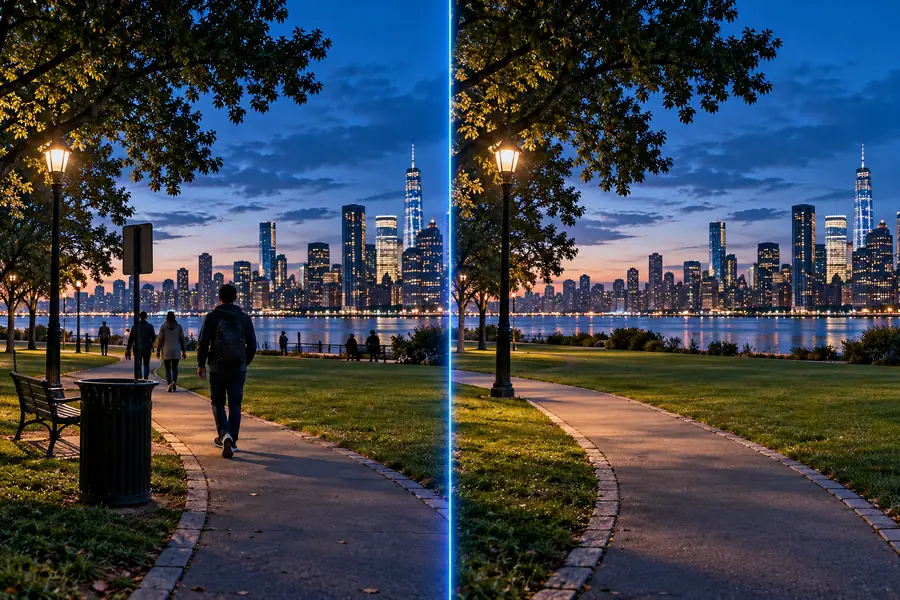
Compare the surface, edges, and shadows as well as the space where the distraction appeared.
Before cleanupAfter cleanupIf the digital definition fits your goal, explore image-editing options through Magiceraser. Keep the original photo so you can compare the result and return to it if an edit removes something important.
The term can describe a melamine foam sponge used to scrub marks from surfaces or a digital tool used to remove distractions from images. In photo editing, it replaces selected pixels with an estimate based on the surrounding picture. Magiceraser uses the digital meaning on this site.
No. The sponge abrades a physical surface, while a photo editor changes an image file. A digital edit cannot clean an actual wall, and a sponge cannot change pixels in a photograph.
No. A photo editor infers a plausible fill from what remains visible. If an object covered important details, the edited area should not be treated as a record of what was originally there.
Small distractions against relatively consistent surroundings are generally easier to remove convincingly. Busy patterns, reflections, and overlapping subjects make the reconstruction harder, so inspect those edits carefully.